AI hug video generator
Upload a photo of two people, describe the hug, and get a short, natural clip with no watermark.
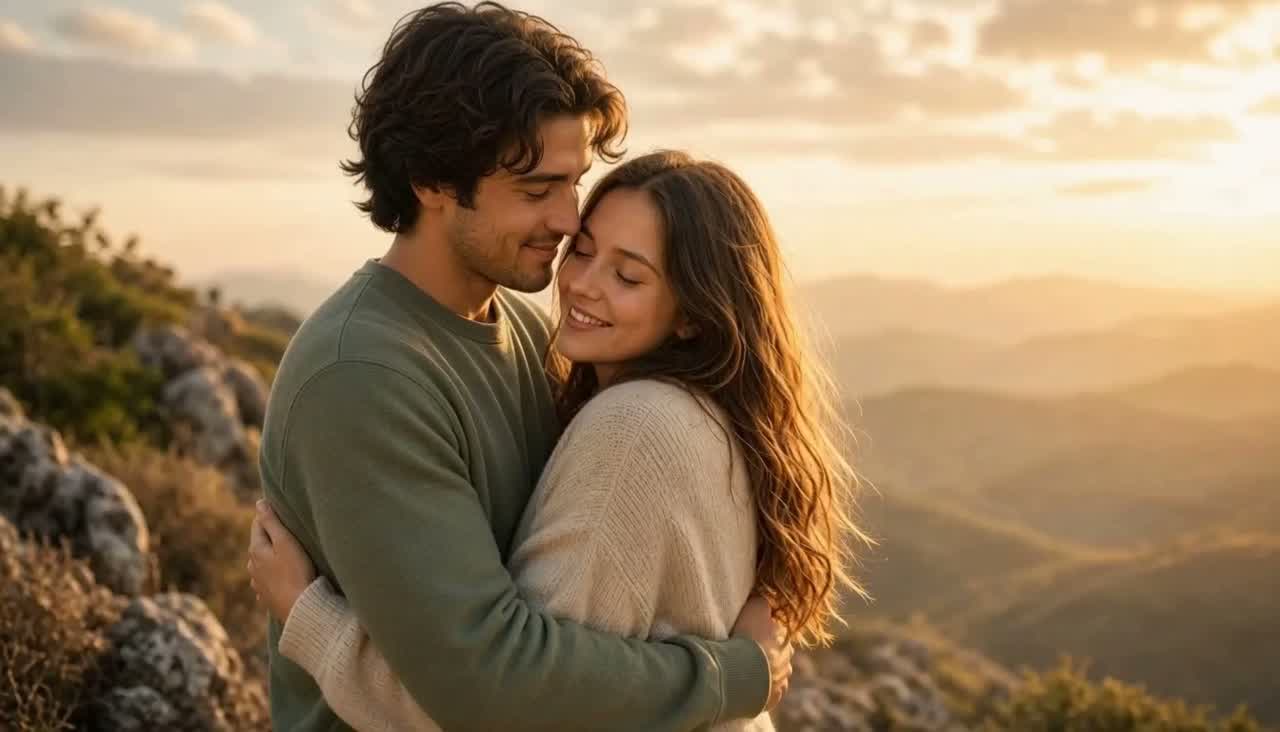
Made with MiniMax H3 Max from one couple photo. Upload yours and click Generate.
AI image to video guide
The short answer
To make an AI hug video, upload one photo with both people in it, standing or sitting close, and describe the hug: who reaches out first, how tight it is and how the camera moves. MiniMax H3 Max made the sample on this page and starts at 70 credits (about $1.75) a clip with sound; MiniMax H3 Max Turbo is the cheapest test at 40 credits (about $1.00). To hug your younger self or someone from another photo, put both photos side by side in one image first.
Updated
AI hug video: quick facts
- What you upload
- One photo with both people in it
- Sample on this page
- MiniMax H3 Max, from 70 credits (about $1.75) per clip
- Cheapest test
- MiniMax H3 Max Turbo, from 40 credits (about $1.00) per clip
- Hug your younger self
- Combine the old and new photo side by side, then animate
- Longer clips
- Up to 15 seconds on MiniMax H3 Max, Seedance 2.0 and Kling 3.0
- Download
- Clean MP4, no watermark
Best models for ai hug video
Starting prices are the cheapest setting with audio off. Dollar figures use the $4.99 pack (200 credits); larger packs cost less per credit. The generator shows the exact total before you submit.
| Model | Best for | From | Lengths | Sound |
|---|---|---|---|---|
| MiniMax H3 Max | Warm, natural hugs with sound, up to 15 seconds | 70 credits (about $1.75) | 5s, 10s, 15s | Included |
| MiniMax H3 Max Turbo | The cheapest first try | 40 credits (about $1.00) | 5s, 10s, 15s | Included |
| Seedance 2.0 | The most lifelike faces and fabric | 160 credits (about $3.99) | 4–15s | Optional |
| Kling 3.0 | Realistic arms and body movement at 1080p | 200 credits (about $4.99) | 3–15s | Optional |
How to do it, step by step
Choose a photo of two people
Both people should be fully visible from the chest up and close to each other. A photo where they already touch or stand shoulder to shoulder works best.
Describe the hug
Say who moves first, where the arms go and what stays the same. Add the light and a slow camera move for a cinematic look.
Generate a 5-second clip
Check that hands and faces look right. If arms tangle, ask for a simpler hug or try another model.
Download or make it longer
Save the MP4, or run the same photo and prompt at 10 or 15 seconds once you like the motion.
Prompts you can copy
Swap in your own subject and keep the structure: what moves, how the camera moves, and what stays the same.
Golden-hour couple hug
Gentle natural motion: the couple slowly tightens their hug, she nestles closer into his chest, he rests his cheek lightly against her hair, soft breathing and subtle smile. Warm golden-hour light, slight breeze in hair and sweater fabric, shallow depth of field. Slow cinematic camera push-in, intimate and wholesome, photorealistic.
The prompt behind the sample video on this page.
Hug your younger self
The adult on the left turns to the child on the right, kneels down and gives them a warm, gentle hug. The child smiles and hugs back. Soft daylight, slow camera push-in, both faces stay the same as in the photos.
Put the old and new photo side by side in one image first, at a similar size.
Friends reunion
Two friends see each other, laugh and pull each other into a big, happy hug, rocking slightly side to side. Busy airport in the background, handheld camera feel.
Good for photos of friends standing side by side.
Parent and child
The mother wraps her arms around her daughter from behind and rests her chin on her shoulder. Both smile and close their eyes. Soft window light, fixed camera.
A hug from behind keeps both faces visible.
Pet hug
The girl hugs her golden retriever around the neck. The dog leans in, wags its tail and licks her cheek. Sunny garden, slow camera drift.
Animals look best when their whole head is in the frame.
Anime hug
The two anime characters run toward each other and share a tight, happy hug. Sparkles and soft light around them. Keep the original drawing style.
Keeps drawn characters from turning photorealistic.
Tips for better results
Start close together
The less distance the model has to bridge, the more natural the hug. If two people stand far apart, crop the photo so they are closer in the frame.
Watch the hands
Hands and arms are the hardest part of a hug. Simple hugs, such as arms around the shoulders, go wrong less often than complex ones.
Match photo sizes when combining
For a hug with your younger self or someone from another photo, scale both people to a similar size and similar light before you combine the images.
Be kind with photos of loved ones
Hugs with someone who has passed away can mean a lot. Ask family before sharing, and say the clip was made with AI.
FAQ
How do I make an AI hug video?
Upload a photo of two people, write a prompt that describes the hug and the camera movement, choose a model such as MiniMax H3 Max and click Generate. The clip is ready in about one to two minutes.
Is there a free AI hug video generator?
Generation here uses credits. MiniMax H3 Max Turbo is the cheapest model, from 40 credits (about $1.00) per clip, and one-time packs start at $4.99 with credits that never expire.
Can I hug my younger self with AI?
Yes. Put a childhood photo and a current photo side by side in one image, at a similar size, and ask for the adult to hug the child. Then animate that image.
Can I make a hug video from two separate photos?
Combine them into one image first, with both people facing each other, then upload it. The generator animates one photo at a time.
Which AI model is best for hug videos?
MiniMax H3 Max gives warm, natural hugs with sound. Seedance 2.0 is the pick for the most lifelike faces, and Kling 3.0 for realistic arm movement at 1080p.
Will the hug video have a watermark?
No. Every video downloads as a clean MP4 without a watermark.
Related guides
AI kissing video generator
Romantic kiss videos from a couple photo.
Bring old photos to life
Gentle motion for old family photos.
MiniMax H3 Max
The model behind the sample hug.
Want every model in one place? Use the AI image to video generator.