Wan AI Video Generator
Turn an image into a cinematic video with Wan AI. Upload a photo, describe the motion, choose available settings, and preview the exact credit cost.
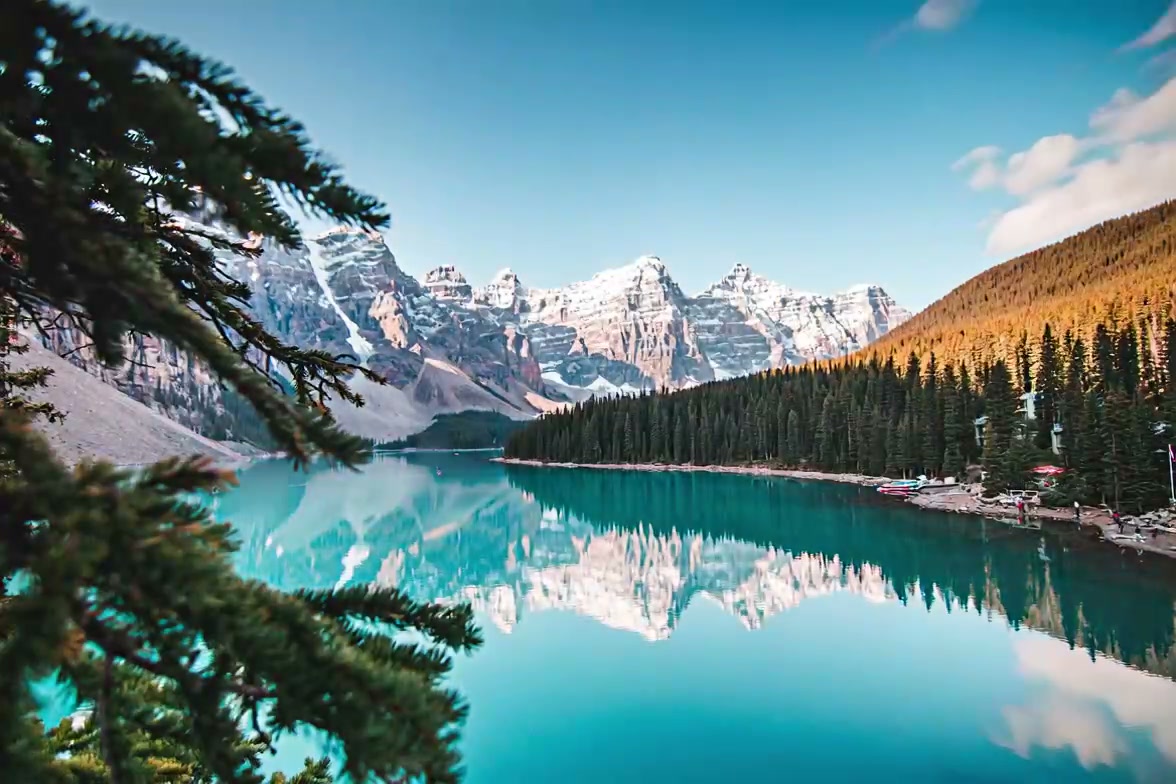
Upload your photo and click Generate to create your own
How to Use Wan AI Video Generator from Image
Upload Your Image
Upload any photo — portrait, anime, landscape, or product shot. Wan AI supports JPG, PNG, and WebP formats.
Choose Your Style
Select a Wan AI model (Wan 2.1, 2.2, or newer) and describe the motion you want with a text prompt.
Generate & Download
Click generate and get your AI video in seconds. Download as MP4 and share anywhere.
Wan AI Video Generator Use Cases & Examples
Anime & VTuber Animation
Wan AI handles anime characters, manga panels, and VTuber models well — noticeably better than most alternatives. The open-source community has fine-tuned Wan specifically for anime motion, which gives it an edge for 2D animation work.
Fast Daily Content
Wan 2.2 Fast was built for speed. You can generate multiple clips per day for TikTok, Reels, and Shorts without burning hours waiting on renders.
Creative & Experimental Videos
Push creative boundaries with unusual prompts and experimental styles. Being open-source, Wan gets community tweaks and custom models that closed-source tools do not offer.
Social Media Content
Generate eye-catching short clips for TikTok, Instagram Reels, and YouTube Shorts. Wan AI produces smooth, natural-looking results that work well for viral content creation.
Game Character Animation
Bring game characters, RPG avatars, and fantasy illustrations to life. Wan AI understands stylized 3D and 2D game art and generates appropriate motion.
Manga & Comic Panel Animation
Animate static manga panels and comic book artwork into moving scenes. A unique use case where Wan AI open-source flexibility really shines.
Best Prompts for Wan AI Video Generator
Copy these prompts and paste them into the generator for best results with Wan AI.
Anime girl walking through a cherry blossom garden, petals falling, gentle breeze, Studio Ghibli color palette, hand-drawn feelVTuber character doing an idol dance on stage, concert lighting, confetti falling, energetic motion, anime styleGame character unsheathing a sword in a dark forest, volumetric fog, dramatic key light, RPG cinematic cutscene styleCat sitting on a windowsill, ears twitching, tail swaying gently, cozy afternoon light, lo-fi aestheticManga panel coming to life — two characters talking in a classroom, speech bubbles fading in, black and white ink style with subtle colorStreet dancer performing breakdance moves, urban graffiti wall background, dynamic low-angle camera, energetic motion blurWhy Choose Wan AI Video Generator?
Open Source AI
Open-source means you get transparency, community improvements, and no vendor lock-in. You can run it yourself, fine-tune it, or just use it here — your call.
Fast AI Rendering
Especially Wan 2.2 Fast. Generate clips fast enough for daily content workflows without sitting around waiting.
Excellent Anime Support
Wan handles anime, manga, and stylized artwork noticeably better than most. If your content involves anime characters or VTuber models, this is the one to try.
Flexible & Creator-Friendly
Multiple model versions, adjustable parameters, and a wide style range. Pick the version that fits your project instead of adapting your project to fit the tool.
HD Video Output
Download generated videos in MP4 format at up to 1080p resolution. High enough quality for TikTok, YouTube, and professional use.
Image to Video Animation
Turn any static image into a dynamic video with natural motion. Portraits, landscapes, anime — Wan AI understands different image types and generates appropriate animation.
Related AI Video Models
Kling AI
Commercial AI video model known for cinematic quality and realistic human motion.
Runway Gen-3
One of the earliest commercial AI video tools. Good overall quality, widely used in the industry.
Google Veo
Google's AI video generation model. Integrated with Google ecosystem, strong text-to-video.
OpenAI Sora
OpenAI's video generation model. Known for long-form video and complex scene understanding.
Pika
AI video tool popular with social media creators. Quick generation, easy to use.
Luma Dream Machine
AI video generation focused on smooth, realistic motion. Good for short-form content.
Looking for native audio and optional first-to-last-frame control? Try MiniMax H3 Max image to video.
Ready to Create with Wan AI?
Upload an image and try Wan AI. It is free to start — test it with a few photos and see if the results fit your workflow.
Frequently Asked Questions
What is Wan AI video generator?
Wan AI video generator uses advanced open-source AI models to turn static images into high-quality videos. You upload a photo, describe the motion you want, and the AI generates a smooth video clip. Multiple model versions are supported including Wan 2.1, Wan 2.2, and Wan 2.5. As a popular Wan video generator, it is known for its flexible, creator-friendly approach and strong performance with anime and creative styles.
Is Wan AI open source?
Yes, Wan AI models are built on open-source technology. This means transparency, community-driven improvements, and the ability to fine-tune for specific use cases. Open-source AI video generators like Wan AI are popular because they offer flexibility without vendor lock-in. Wan 2.2 is currently one of the most widely adopted versions.
Is Wan AI video generator free?
Our platform offers free AI video models with limited daily generations for testing. Advanced Wan AI models with longer clips and higher resolutions may require credits or a subscription. You can start with free models to try the workflow, then upgrade for better quality output.
How does Wan AI image to video work?
Upload any image — a portrait, anime character, landscape, or product shot. The Wan AI model analyzes the scene, understands subjects and depth, then generates video frames with smooth, natural motion. You can control the style through a text prompt. The entire process runs in your browser, no software downloads needed.
What styles does Wan AI support?
Wan AI supports a wide range of video styles — cinematic motion, realistic animation, anime-style movement, creative transitions, and more. Whether you want a cinematic portrait, an anime dance clip, or a product showcase, Wan AI can handle it. Different Wan model versions (like Wan 2.1, Wan 2.2, and newer releases) offer varying levels of quality and speed.
Can I animate images online with Wan AI?
Yes, you can animate any image online directly in your browser. Upload a photo, choose a model version (Wan 2.1, Wan 2.2, or newer), add a text prompt describing the motion you want, and generate your video. It works entirely in your browser — no software downloads needed. Generated videos are ready for TikTok, Instagram, YouTube, and more.
What is the difference between Wan AI and Kling AI?
Both are powerful AI video generation models, but they have different strengths. Kling AI tends to excel at cinematic realism, premium-quality motion, and high-fidelity output — ideal for professional-looking content. Wan AI, being open-source, offers more flexibility, faster rendering, and strong performance with anime and creative styles. Many creators use both: Wan AI for quick, creative content and Kling AI for cinematic, high-end results. You can try both on our platform and compare.